
In my physical therapy practice at Aging At Ease, I don’t just look at how my patients move inside their homes; I care about how they interact with the outside world. A major, often overlooked anxiety for many seniors is the front door lock.
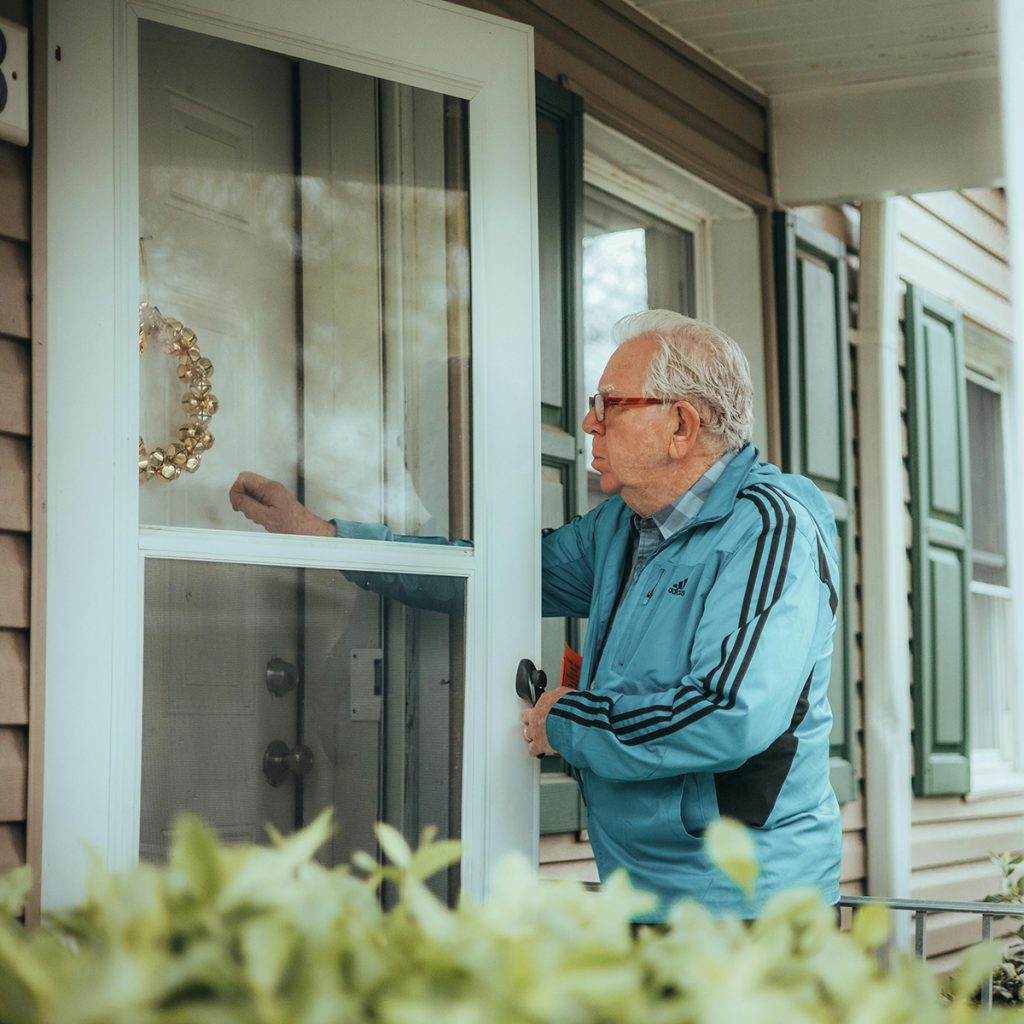
Traditional locks require excellent fine motor skills and significant hand strength. If a senior has severe rheumatoid arthritis, tremors, or low vision, turning a standard key can be incredibly difficult. Furthermore, rushing to answer the door because they can’t unlock it fast enough for a caregiver is a leading cause of trips and falls in the entryway.
Keyless smart locks remove these barriers. These devices have become incredibly reliable, offering entry via fingerprints, voice commands, or simple proximity. Here is my professional review of the best senior-friendly smart locks on the American market this year.
1. The Absolute Best for Ease of Use: Ultraloq U-Bolt Pro WiFi
This lock consistently tops my recommendation list because it offers the ultimate physical therapy benefit: biometric entry.
-
Why I Recommend It: It features a highly advanced 360° fingerprint scanner right on the front. A senior doesn’t need to remember a passcode, carry a smartphone, or fumble with a key—they simply place their thumb on the sensor, and the deadbolt retracts in under a second.
-
Pros: Multiple entry methods (fingerprint, keypad, smartphone, and a hidden mechanical backup key); auto-lock feature ensures the door secures itself after closing; shares temporary access codes with family or home health aides.
-
Cons: The physical unit is somewhat bulky on the exterior of the door.
-
Best For: Seniors with mild cognitive changes or severe hand arthritis who want the simplest “one-touch” entry.
2. Best for Low Vision & Physical Keys: Kwikset Halo Touch
If your loved one wants a smart lock but isn’t ready to completely give up the familiar feel of a traditional setup, Kwikset offers a beautiful compromise.
-
Why I Recommend It: The Halo Touch focuses purely on a premium biometric fingerprint scanner. It does not have a confusing digital keypad with tiny numbers that are hard to see for individuals with cataracts or macular degeneration.
-
Pros: Sleek, minimalist design; utilizes Kwikset’s SmartKey security to prevent lock-picking; very intuitive smartphone app for monitoring who enters.
-
Cons: It relies heavily on either your fingerprint or the app, so there is no keypad code option if a fingerprint fails to register (e.g., due to heavily calloused skin).
-
Best For: Seniors with vision impairment who want a clean, simple interface without confusing menus or numbers.
3. Best for Keeping Your Existing Key: August Smart Lock Pro (4th Gen)
If you rent an apartment or don’t want to change the aesthetic of the outside of your house, August is the perfect option.
-
Why I Recommend It: This lock attaches only to the inside of your existing deadbolt. From the outside, your door looks exactly the same, and your old physical key still works perfectly.
-
Pros: Extremely easy installation (takes about 10 minutes with a screwdriver); automatically unlocks via Bluetooth as you approach the door with your phone (Auto-Unlock); works seamlessly with Alexa and Google Assistant.
-
Cons: Requires a reliable smartphone to use the proximity features effectively.
-
Best For: Renters, or seniors who are tech-savvy and want hands-free entry without changing their exterior hardware.
4. Best Heavy-Duty Security: Schlage Encode Plus Smart WiFi Deadbolt
Schlage is famous for commercial-grade security, and this model is built like a tank while offering maximum connectivity.
-
Why I Recommend It: This lock supports Apple Home Key. If the senior uses an Apple Watch or an iPhone, they can simply tap their device against the lock—just like using Apple Pay at a grocery store—to open the door.
-
Pros: Built-in alarm sensors that detect forced entry; highest residential security rating (AAA grade); large, backlit physical buttons on the keypad that are easy to press.
-
Cons: Expensive; shorter battery life due to constant built-in WiFi connection.
-
Best For: Seniors who already wear an Apple Watch and want top-tier home security.
5. Best Budget-Friendly Option: Wyze Lock Bolt
If you want to upgrade your entryway safety but are working with a strict retirement budget, Wyze offers incredible value.
-
Why I Recommend It: Despite its low price, it features a highly accurate fingerprint scanner and a backlit keypad. It doesn’t connect directly to the internet (it uses local Bluetooth), which makes it highly secure against remote hacking.
-
Pros: Very affordable; fast fingerprint recognition; anti-peep passcode technology (allows you to type random numbers before your real code so strangers can’t steal it).
-
Cons: Because it lacks built-in WiFi, you cannot unlock the door remotely for a guest unless you purchase a separate hub.
-
Best For: Budget-conscious families who want premium biometric safety without a massive investment.
Joshua’s PT Safety Checklist for Smart Locks:
-
Activate “Auto-Lock”: The greatest feature of a smart lock is peace of mind. Enable the auto-lock timer (set it to 30 or 60 seconds). This completely eliminates the anxiety of lying in bed wondering, “Did I remember to lock the front door tonight?”
-
The “Caregiver Code” Setup: Never give out your master code. Create unique, temporary PIN codes for your physical therapist, cleaning service, or neighbors. You can set these codes to only work during specific hours (e.g., Tuesdays from 10:00 AM to 12:00 PM), and you will receive a notification on your phone when they arrive.
-
Low Battery Warnings: Modern smart locks will alert you weeks in advance via the app and audio chimes when the batteries are running low. Teach your loved one not to ignore these signals. Always keep a backup physical key hidden safely or with a trusted nearby relative just in case.
Unlock Freedom. Secure Your Peace. Aging at Ease.
Disclosure: As an Amazon Associate, I earn from qualifying purchases of home automation and adaptive security equipment. This helps support our mission at Aging At Ease to provide expert advice for independent living.